GoalPath vs ClickUp
ClickUp tries to replace every tool — tasks, docs, goals, chat, whiteboards, time tracking, all in one place. Maximum consolidation, maximum flexibility. The tradeoff: maximum complexity. Teams spend weeks configuring before seeing value.
TL;DR — 3 key differences
- 1.GoalPath forecasts delivery dates with Monte Carlo simulations included — ClickUp charges extra for AI forecasting
- 2.GoalPath ships with a guided development process — ClickUp is a blank canvas that teams use inconsistently
- 3.GoalPath generates weekly progress reports automatically — ClickUp requires manual status updates
GoalPath in action
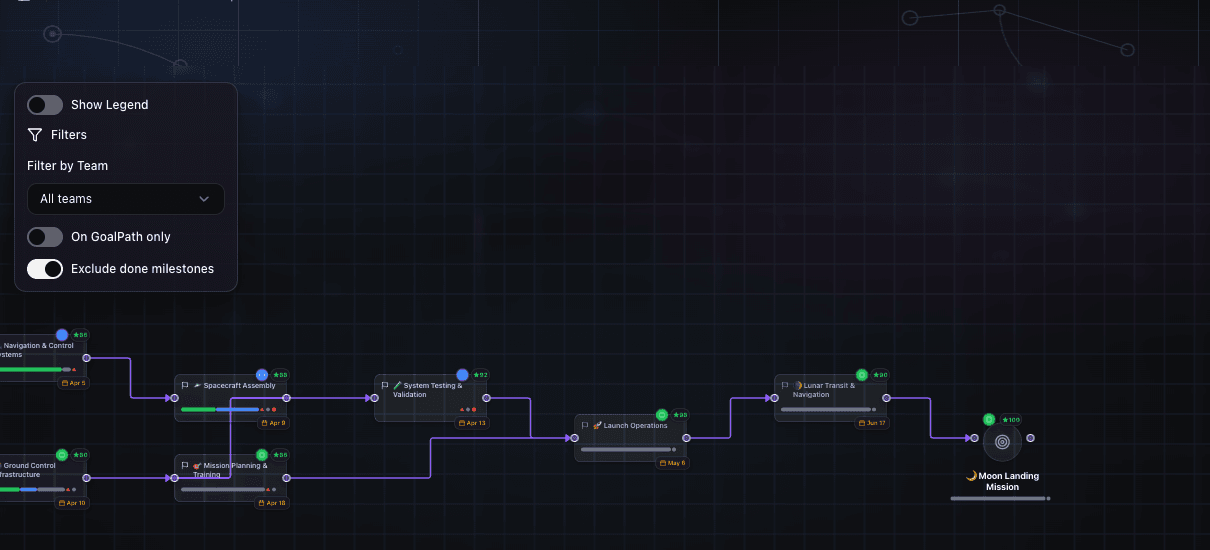
Visual roadmap with milestone dependencies and goal path connections
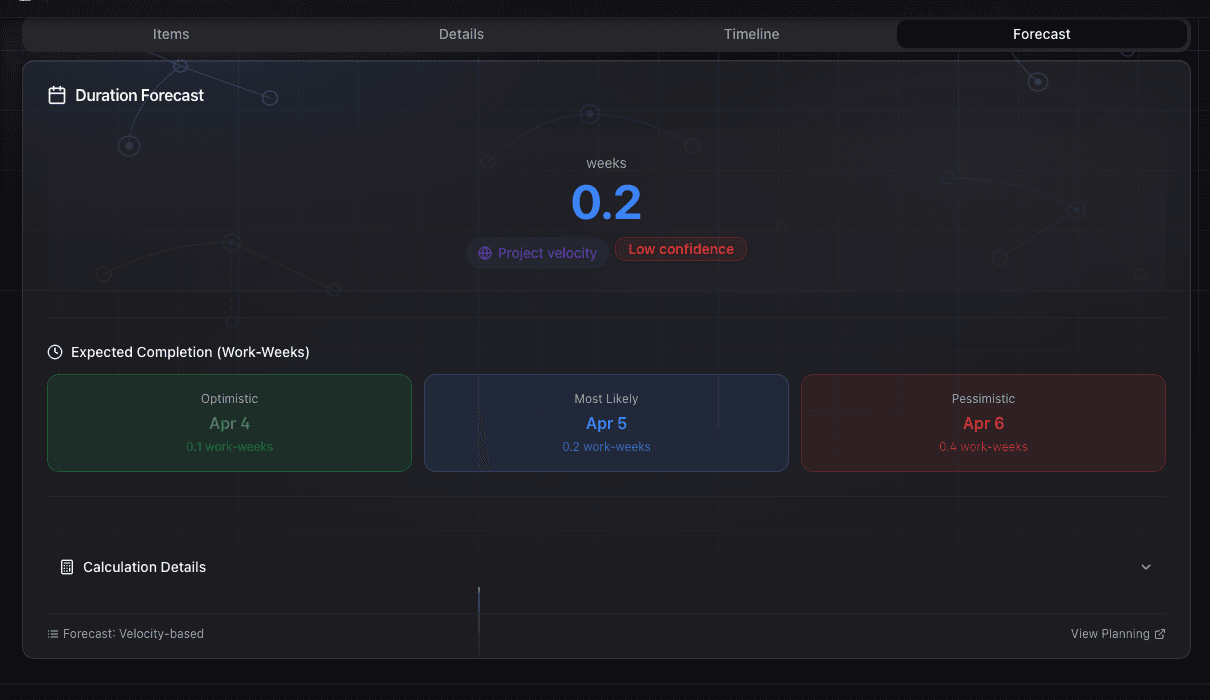
Monte Carlo delivery forecasting — optimistic, expected, and pessimistic dates
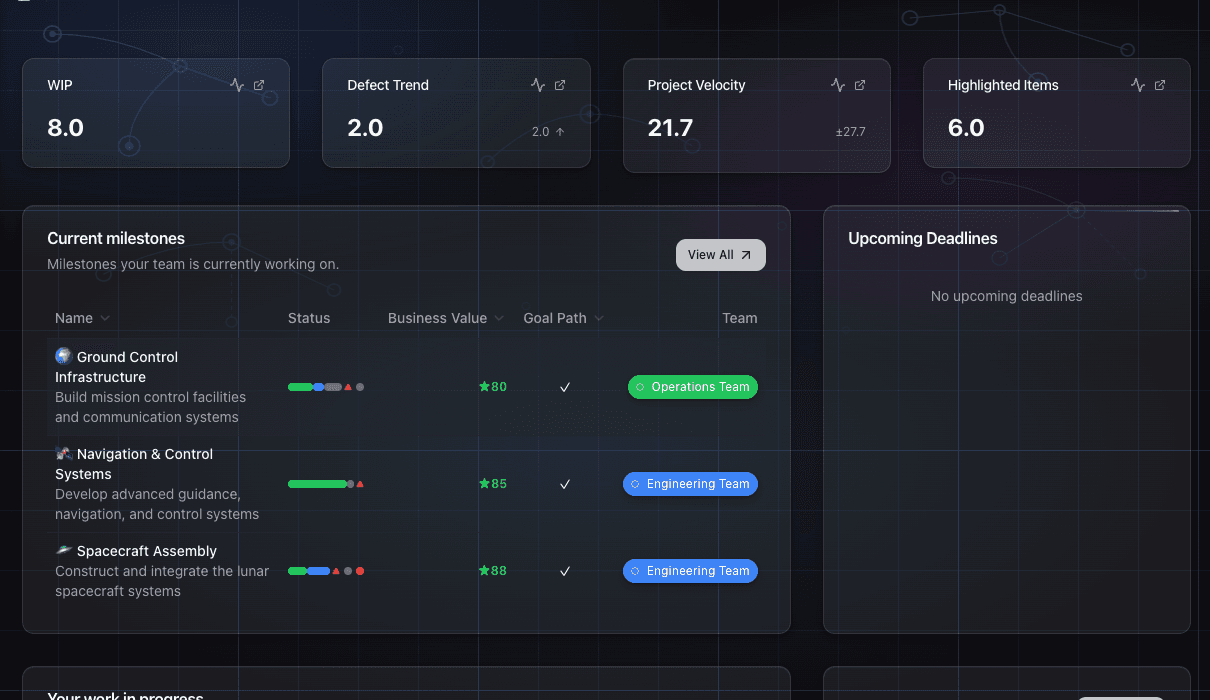
Dashboard with at-a-glance metrics — WIP, velocity, defects, and highlights
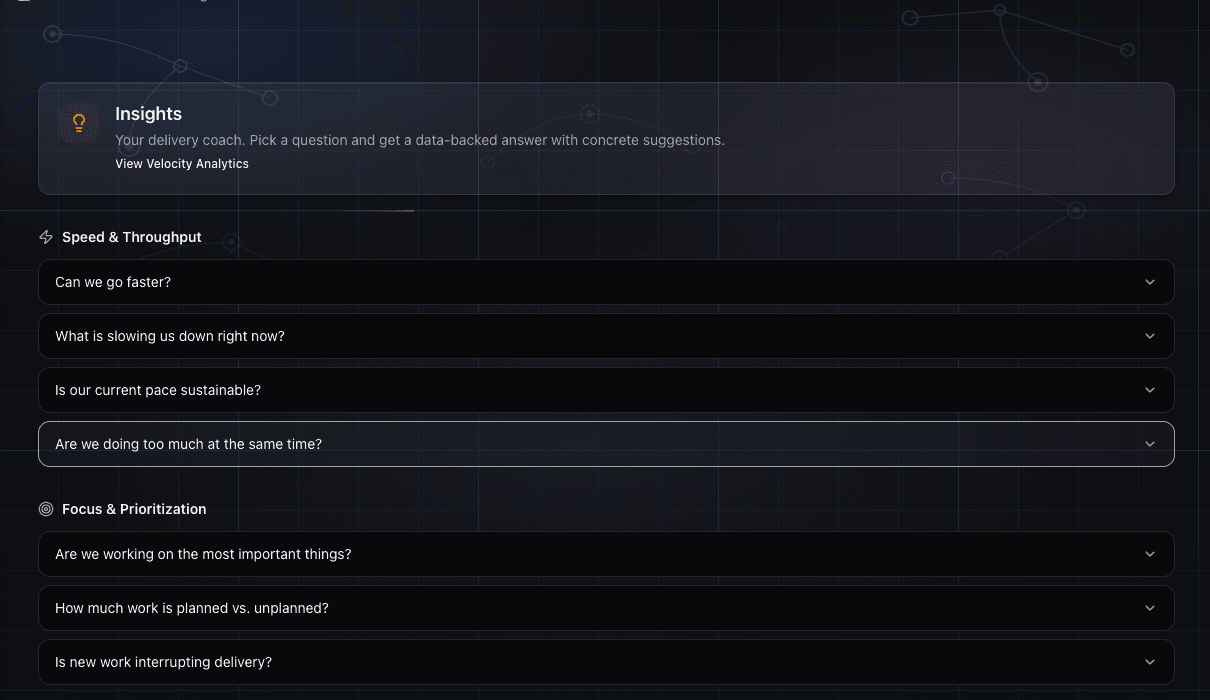
AI-powered delivery insights — ask questions, get data-backed answers
At a glance
| Attribute | GoalPath | ClickUp |
|---|---|---|
| Best for | Engineering teams shipping software milestones | Multi-department organizations wanting to consolidate into one tool |
| Free trial | ✓30 days, no credit card | Free with unlimited users (limited features) |
| Delivery forecasting | ✓Monte Carlo with probability bands | Manual or add-on only |
| Auto progress reports | ✓Weekly, AI-generated | ✕Manual only |
| Guided process | ✓Opinionated workflow | Fully customizable |
| Team size focus | 5–50 people | Teams needing built-in docs, whiteboards, and time tracking |
Workflow & Process
| Feature | GoalPath | ClickUp | Winner |
|---|---|---|---|
| Guided workflow | Methodology built into the interface — nothing to configure | Blank canvas — teams configure every view, field, and status from scratch | GoalPath wins |
| Feature breadth | Focused on software delivery — every feature is relevant | 15+ view types, docs, whiteboards, time tracking, goals, and more | Competitor wins |
| Setup time | Productive immediately with guided process built in | Weeks of configuration required before teams have a consistent workflow | GoalPath wins |
Reporting
| Feature | GoalPath | ClickUp | Winner |
|---|---|---|---|
| Progress reports | Automatic reports generated from the team's actual work | Manual dashboards — reports require someone to build and maintain them | GoalPath wins |
| Dashboard customization | Built-in milestone and team health dashboard | Highly customizable dashboards with dozens of widget types | Competitor wins |
Forecasting
| Feature | GoalPath | ClickUp | Winner |
|---|---|---|---|
| Delivery forecasting | Monte Carlo simulation with probability bands from actual throughput | Manual date estimates only — no statistical forecasting | GoalPath wins |
| Triage system | Structured inbox triage with guided priority and urgency classification | No triage system — items land wherever they're created | GoalPath wins |
Developer Tools
| Feature | GoalPath | ClickUp | Winner |
|---|---|---|---|
| Bug reporting from browser | Browser extension (Chrome/Firefox/Edge) captures screenshots, console errors, and page context | No built-in browser extension for bug reporting | GoalPath wins |
| IDE integration | VS Code extension showing assigned items and progress in the sidebar | No IDE integration | GoalPath wins |
ClickUp: honest assessment
What ClickUp does well
- ✓Massive feature breadth — 15+ view types, docs, whiteboards, time tracking, goals
- ✓Generous free tier with unlimited users
- ✓Strong consolidation play — replaces multiple tools for many teams
- ✓1,000+ integrations covering most business tools
- ✓Highly customizable with custom fields, statuses, and workflows
Common complaints
- ✕Feature overload — teams report feeling overwhelmed by the number of options
- ✕No process guidance — a blank canvas requiring significant setup
- ✕Weeks of configuration before seeing real value
- ✕Performance issues reported at scale with large workspaces
- ✕AI features are a paid add-on ($9/user/month) not included in base plans
- ✕No probabilistic delivery forecasting
- ✕Paywalls on mid-tier features create unexpected upgrade pressure
- ✕Inconsistent adoption — team members often use it in incompatible ways
Should you switch?
Switch to GoalPath if you...
- →Spending more time configuring ClickUp than actually using it
- →No agreed process — everyone uses ClickUp differently with no consistency
- →Still can't answer 'when will this ship?' despite all the features
- →Need process guidance, not another blank canvas to fill in
- →AI forecasting requires a separate paid add-on on top of an already expensive plan
Stay with ClickUp if you...
- ·Multiple non-engineering teams share the tool and it's working for all of them
- ·Deep customization that no opinionated tool would allow
- ·Using ClickUp as a docs-plus-notes-plus-tasks hybrid across the whole company
- ·Heavily invested custom setup that took months and is now delivering value
Ready to make the switch?
Start your free trial and see why teams leave ClickUp for GoalPath. No credit card required.
More comparisons
GoalPath vs Jira
Plan, track, and release great software
GoalPath vs Asana
AI-powered work management platform
GoalPath vs Monday.com
A Work OS that lets you shape workflows, your way
GoalPath vs Linear
The issue tracker built for speed
GoalPath vs Shortcut
The project management platform engineering teams love
GoalPath vs ZenHub
Project management built for GitHub