Getting started with GoalPath: guides for every role
When a new tool lands on a team, everyone goes to the same onboarding doc and reads about every feature. Half of it doesn't apply to them. Half that does, they don't realize applies to them. Then they go back to whatever they were doing before.
GoalPath has three very different types of users. What the tech lead needs to look at every morning is completely different from what the CEO needs to look at on Thursday before the board call. So instead of one generic "getting started" guide, here are three short ones.
A quick note on role names: in GoalPath, a tech lead is typically a ProjectLeader or Collaborator. A product owner is usually the project Owner. Stakeholders and Viewers both have read-focused access, but with different levels of participation. Stakeholders can vote in alignment meetings, Viewers cannot.
For the Tech Lead
What GoalPath does for you: It replaces the "where are we on this?" Slack messages and the Monday status meeting with a dashboard you can check in 60 seconds, and a weekly report that writes itself.
You are the person who actually knows what is happening. You just spend a lot of time translating it for everyone else. That is the problem GoalPath fixes.
What to look at every day
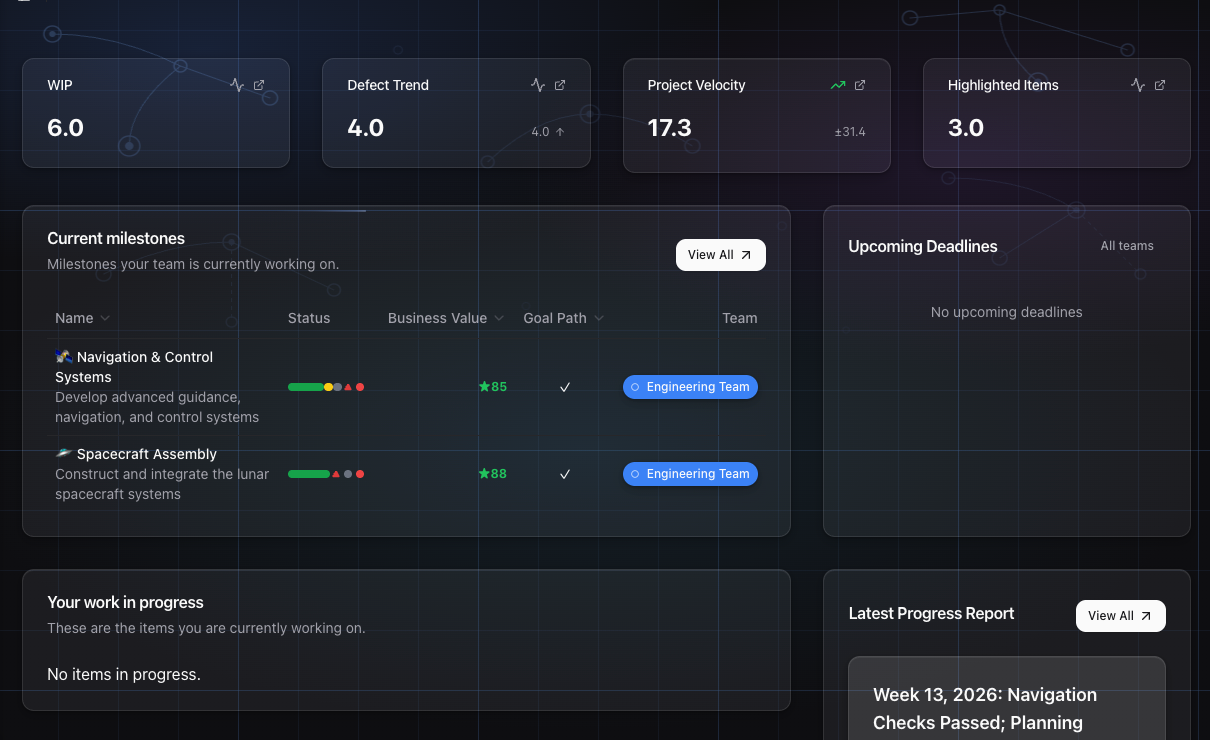
Open the project dashboard. You want to see two things:
First, how many items are currently in progress. If the WIP count is climbing (people starting new things before finishing old ones), that is the first sign a milestone is going to slip. You do not need to wait for a retrospective to notice it.
Second, glance at the milestone forecast. GoalPath calculates this from your actual delivery velocity over the past six weeks. If something shifted since yesterday, you will see it there. The forecast panel shows you the numbers. If the expected date moved, the weekly progress report will include an explanation of why.
What to look at in your first week
Velocity Analytics page. This is accessible via the sidebar. You will see your team's rolling average story points per work-week, with a variance band. Flow metrics also appear on the Insights page. Do not try to optimize it on day one. Just look at it. Is velocity consistent? Wildly variable? That tells you more about your process than any sprint review.
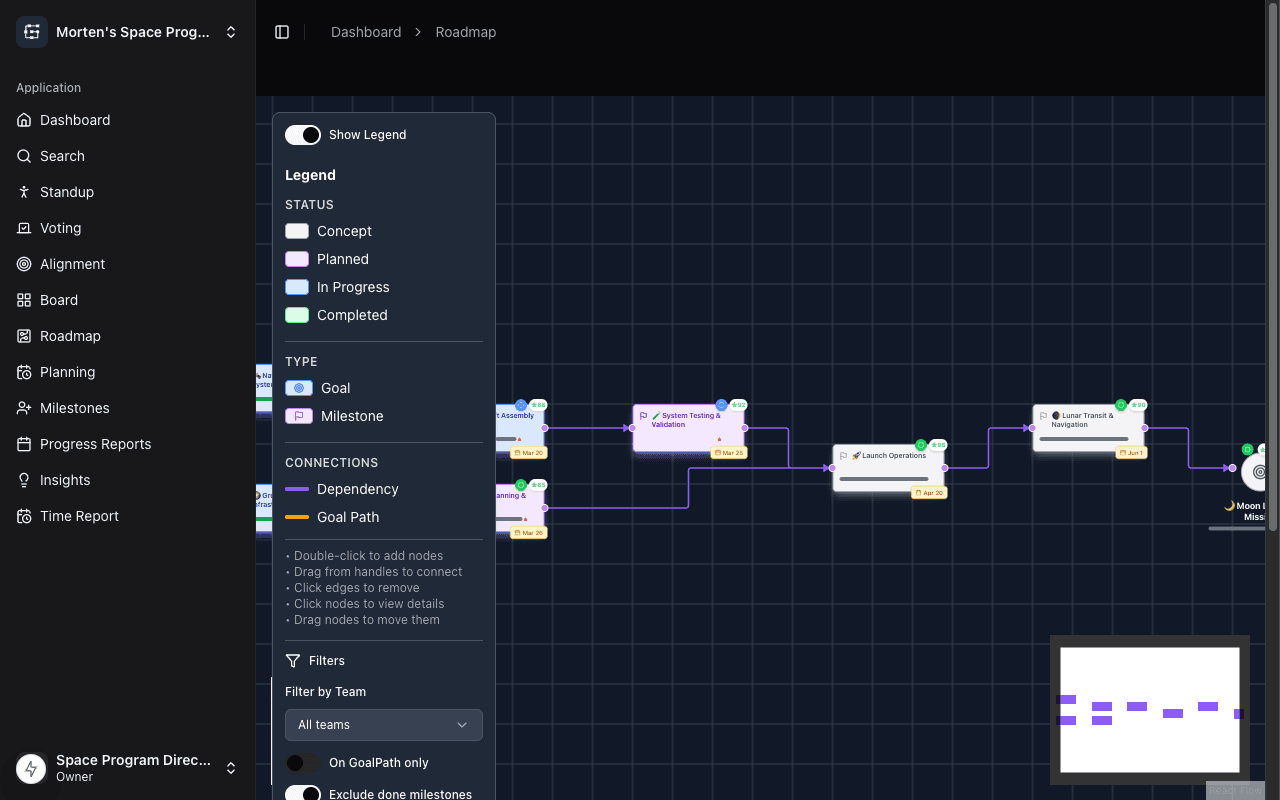
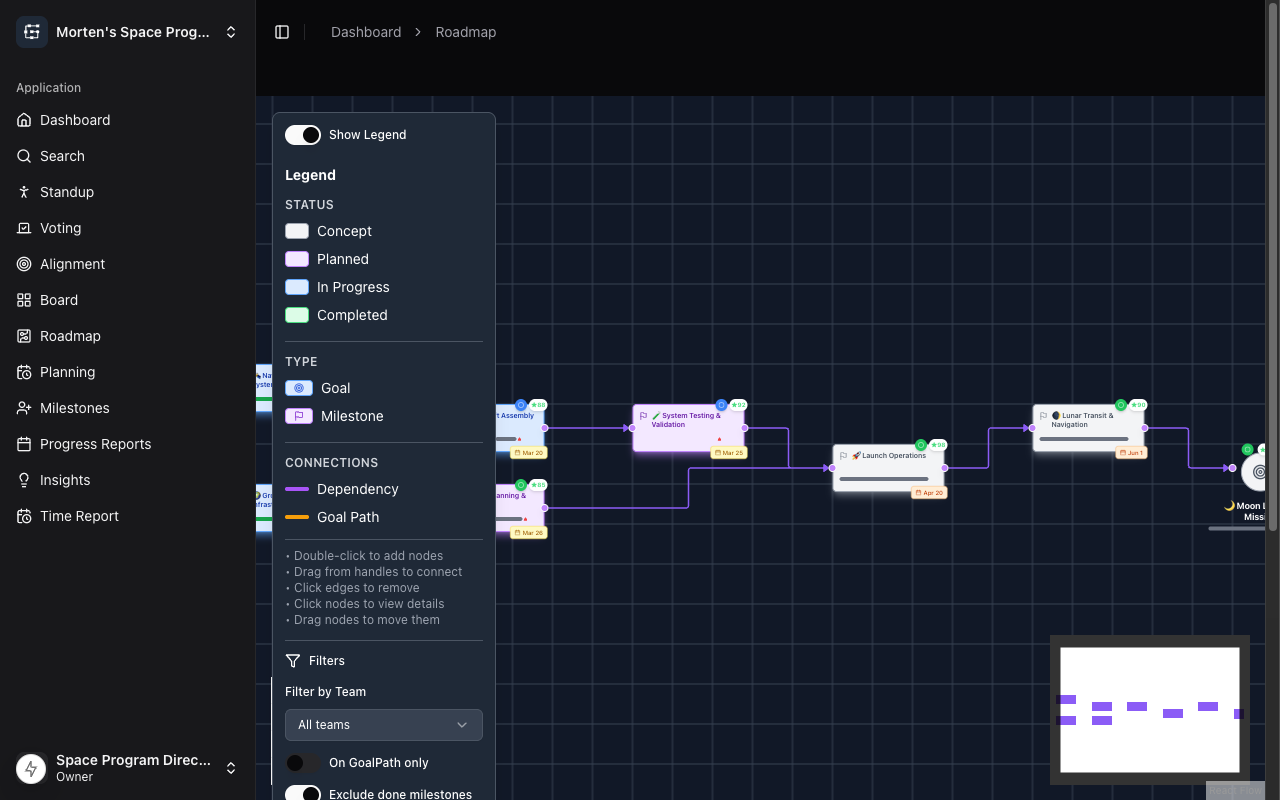
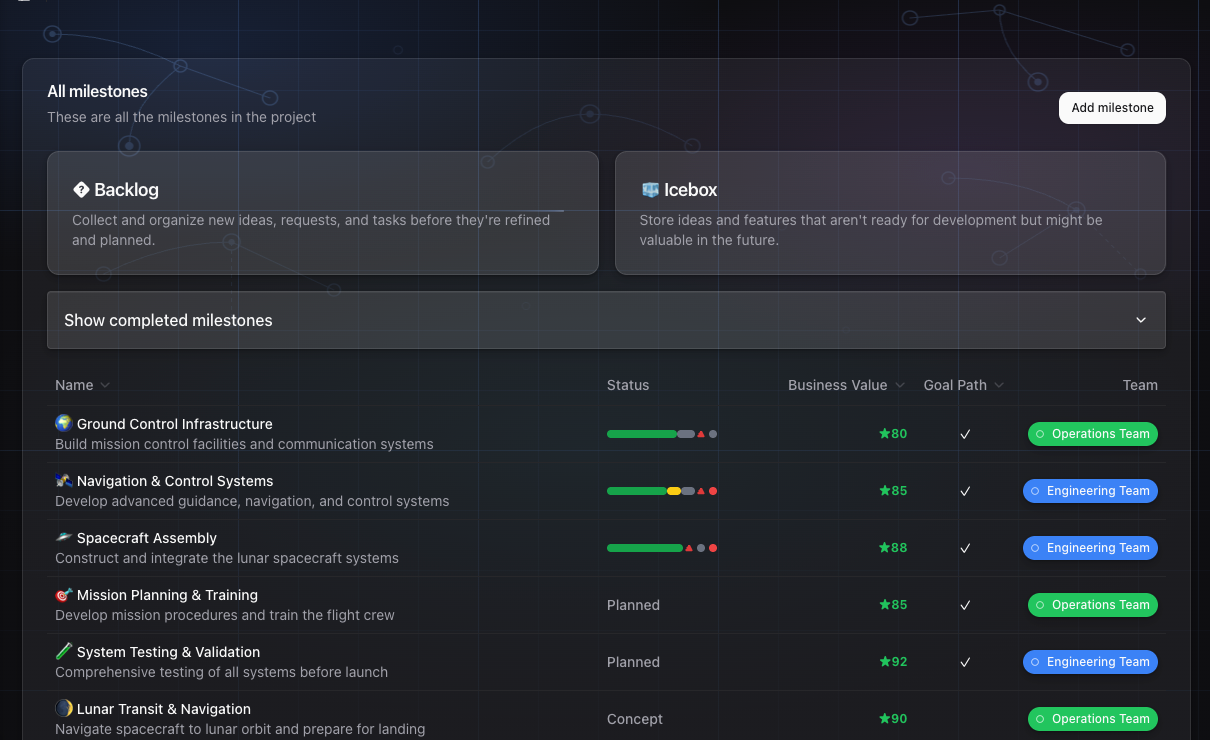
The roadmap. GoalPath shows milestones as a dependency graph, not a Gantt. You can see the critical path: which milestones are blocking what. If you are three milestones deep into a chain and the first one has a bloated WIP count, you now know your actual problem.
Progress report preview. By the following Sunday (the cron runs Sunday nights), a draft progress report will be generated automatically from what your team shipped. Read it. If something is wrong or missing, that tells you something about how items are being structured or closed out. Once you trust the drafts, reviewing them before sending takes about two minutes.
The thing most tech leads miss
GoalPath uses guided standup and alignment meetings. You do not need to facilitate these from scratch. The interface walks through the stages: what shipped, what's blocked, anything unplanned that crept in. The blockers surface automatically. You do not need to ask. Note that the guided standup is available to team members with edit access: Owners, ProjectLeaders, and Collaborators.
If you are spending more than fifteen minutes per day in status-related conversations, something is not set up right. The tool is supposed to absorb that.
For the Product Owner
What GoalPath does for you: It turns your roadmap from a Google Sheet that is wrong by Tuesday into a live dependency map that updates itself. And it gives you an automatic progress report every week that you can share with leadership without spending your Friday afternoon writing it.
What to look at in your first week
Start with the roadmap view. Add your milestones. Connect the dependencies. GoalPath will show you the critical path automatically: which things have to happen before which other things. This is the conversation you normally have in a planning meeting, except now it is just visible.
The alignment meeting flow is where GoalPath earns its keep. Alignment meetings in GoalPath have six structured stages: progress snapshot, Flow Health & Escalation, business value voting, roadmap brainstorming, roadmap update, and a summary. You do not need to design the meeting format. The tool runs it. What you get out is an ordered priority list that the whole group participated in creating, which means you spend less time defending decisions afterwards.
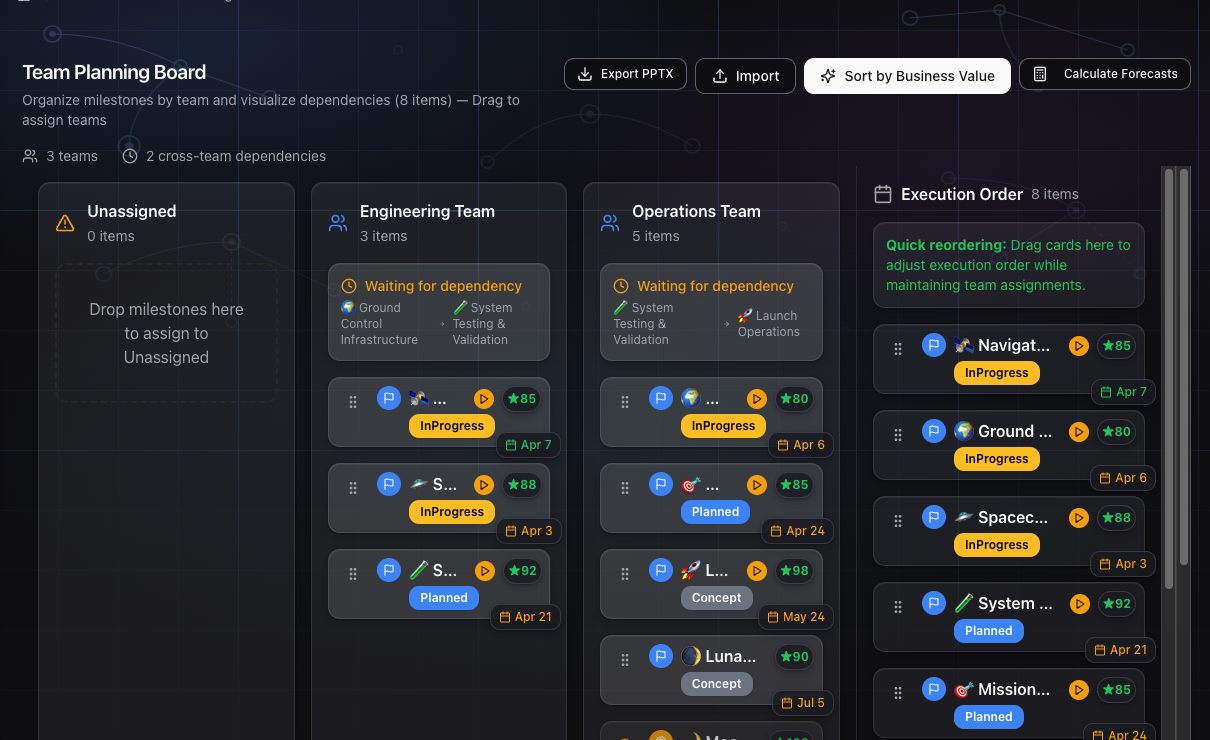
Business value voting is the part worth highlighting. Instead of whoever is loudest in the room deciding what comes next, GoalPath collects votes from your stakeholders using a structured framework: Impact/Effort, RICE, MoSCoW, or a configurable weighted scoring framework. It normalizes the scores to a 1–100 scale. All of a sudden you can sort the roadmap by business value instead of by who pinged you last on Slack.
The replaced ritual to notice
You will have a Friday or Monday ritual right now: either writing a status email, or running a sync where someone summarizes what happened last week. Both of these go away. GoalPath generates the progress report draft from execution data (what shipped, what is blocked, how forecasts changed) every week. You review it, make any edits you want, and send it. The whole thing takes a few minutes.
Your stakeholders stop asking "where are we?" because they already know.
For alignment meetings: stop prepping slides
The classic product owner move is to spend two hours before a planning meeting building a slides deck to show the roadmap. You do not need to do this. The GoalPath roadmap is the meeting. Pull it up, work through the stages, done.
For the Stakeholder or Viewer
GoalPath distinguishes between two read-focused roles: Stakeholders participate in alignment meetings, including voting on business value priorities. Viewers can observe alignment meetings but do not vote. Both receive progress reports and can see the project roadmap and forecasts.
What GoalPath does for you: It means you stop having to ask. You get a plain-English progress update every week that tells you what shipped, what is behind, and when things are expected to be done, without needing to understand what "velocity" or "story points" means.
GoalPath is designed so you should not need to understand lean delivery methodology to know what is happening. The team's work gets turned into something readable. That is the whole point.
What to look at in your first week
The weekly progress report. This is your primary artifact. It shows up automatically, generated from actual work data, not from what someone remembered to write down. The AI-generated report typically covers what shipped, what is blocked, forecast changes (if the expected delivery date moved, it says so and by how much), and items that need attention or a decision from you.
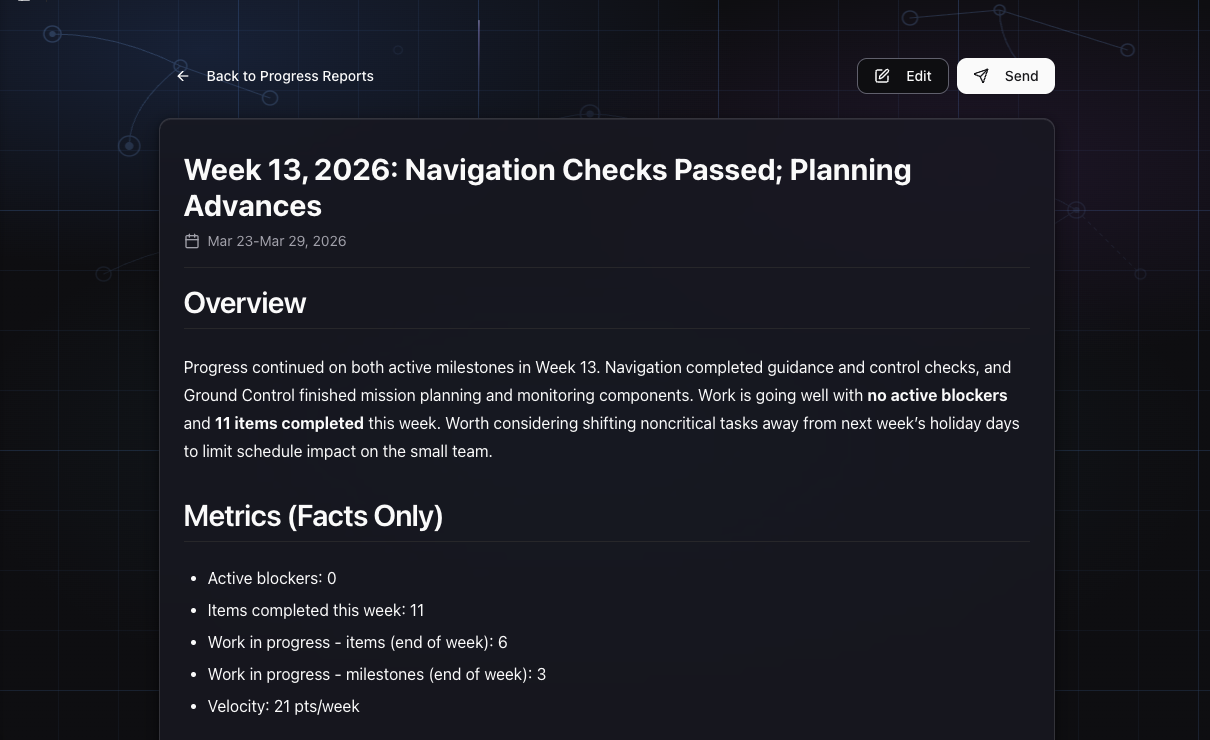
That last section is the important one. GoalPath surfaces items that are waiting on a stakeholder decision. You do not need to dig through a Jira board to find them. They are right there.
Understanding the forecast
GoalPath shows three forecast scenarios for each milestone: Optimistic, Most Likely, and Pessimistic. These are calculated from actual delivery velocity, not from someone's guess in a planning meeting.
If the expected date moves, you will see it in the progress report. The forecast panel shows the updated numbers; the weekly progress report is where you will find an explanation of what changed and why. The forecast is based on what the team has actually been delivering, so when it moves, it usually means something real happened: someone got blocked, a dependency shifted, scope changed.
You do not need to interrogate anyone about timelines. The number is in the forecast panel. If you want to understand why it changed, the explanation is in that week's progress report.
When to actually open GoalPath
Most stakeholders do not need to check GoalPath every day. Here is a simple pattern:
- Read the weekly progress report when it arrives (Monday morning typically). Two minutes.
- If there is an item flagged as needing your decision, handle it before end of day.
- Before a board meeting or investor call, open the project and look at the forecast panel. You will have everything you need.
That is it. You do not need to understand the velocity chart or the roadmap dependency view. Those are for the tech lead and product owner. Your interface is the progress report.
Starting as a team
One thing that helps all three roles is doing the first alignment meeting together in week one. GoalPath walks you through it. The product owner drives, the tech lead provides technical context, stakeholders vote on business value. Everyone leaves knowing the priority order, and they all participated in setting it.
That single meeting often replaces three or four recurring syncs that have been happening on autopilot.
After that, the rhythm is: team works in GoalPath, progress report generates itself Sunday night, everyone reads it Monday morning, nobody needs to ask "where are we?"
That is the goal. Not perfect process. Just shared reality, automatically.
Further reading
- Understanding velocity metrics in GoalPath: how the forecasting math works
- When everything is Priority 1, teams default to the loudest work: why structured prioritization beats gut feel
- Too many things in flight: WIP monitoring and what the tech lead should watch for
- DORA 2025 report on team performance: https://dora.dev/research/2025/dora-report/
Ready to plan your roadmap with data?
Create an account on GoalPath and start tracking velocity, forecasting milestones, and delivering predictably.
Create an Account